
tTerm now has documentation
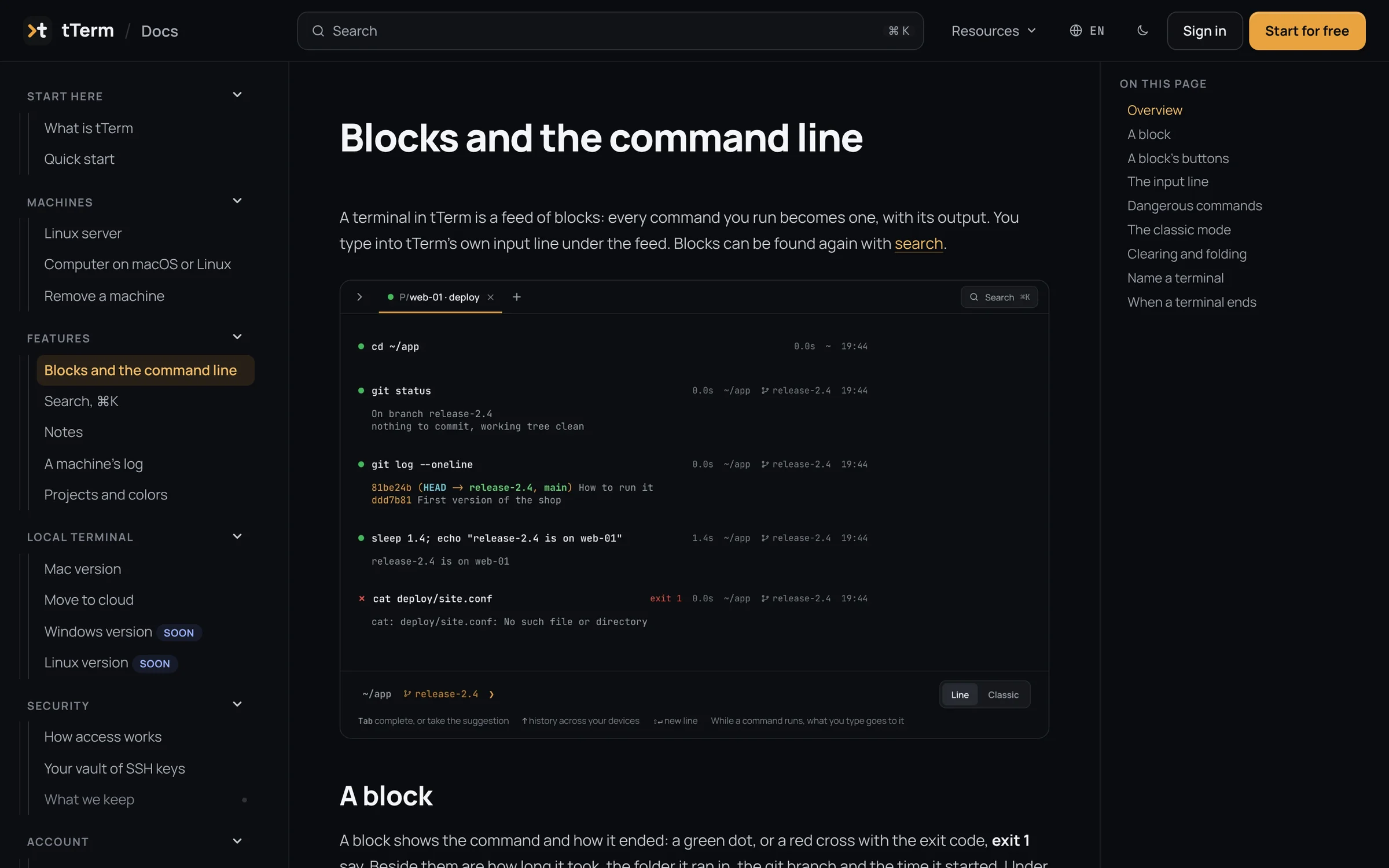
At docs.tterm.net you'll find how tTerm works, from your first command to how access is set up. 19 pages in all 12 languages, with screenshots in the light and the dark theme.
Why
The more tTerm can do, the more often you ask “how do I do that?”. The answers were scattered across blog posts, hints on the screen and READMEs on GitHub. Now they are in one place. Every feature has a page of its own: what it does, where to find it and what happens when you press it.
What's inside
- Start here. What tTerm is, and your first command in five minutes.
- Machines. A Linux server with one command, a computer through a small agent, and how to remove a machine.
- Features. Blocks and the command line, search with ⌘K, notes, a machine's log, projects and their colors.
- Local terminal. tTerm for Mac: how to install it, how to open it the first time and how to move servers from your Mac to the cloud.
- Security. Two-minute certificates, signing in a process of its own, and a vault for your keys that only your devices open.
- Account. Your plan and its limits, devices and signing in.
In your language
The docs speak the same 12 languages as the site and tTerm itself: since October 31, the interface of tTerm Web and the Mac app is in all twelve. Buttons and menus in the text are named as they are on your screen. The screenshots are taken in every language, in the light and the dark theme. Search looks through the pages in your language.
What's new
New versions come out often, sometimes several a day. The What's new section gathers them in one place. It says what each version of tTerm Web and tTerm for Mac changed, in plain words and with links to the pages that matter. This section is kept in English and Russian. The docs change along with the product: every new version comes with edits to its pages.
Where to find it
On the site, the docs are under Resources and in the footer. In tTerm Web, they are in the account menu, under Get help. That is also where you can write to support if you did not find the answer.