
Support: write to us right from tTerm
The account menu now has Get help: the docs, and a message to support right from tTerm. The answer comes to your email. The technical details that go with your message are shown before you send it, and you can leave them out.
Why
A question about tTerm usually comes up in the middle of work: a machine won't connect, a log won't open, something doesn't behave the way you expect. Until now you could not write to us from tTerm itself. You had to look for where to write, and remember which version and which browser you had. Now you write the message right in tTerm, and it adds the version and the browser itself.
Where it is
The account menu at the bottom of the sidebar is now Settings, Account, Language, Get help and About us. Get help has two items. Documentation opens docs.tterm.net in the language tTerm speaks to you. Write to support opens a window to write to us.
How to write
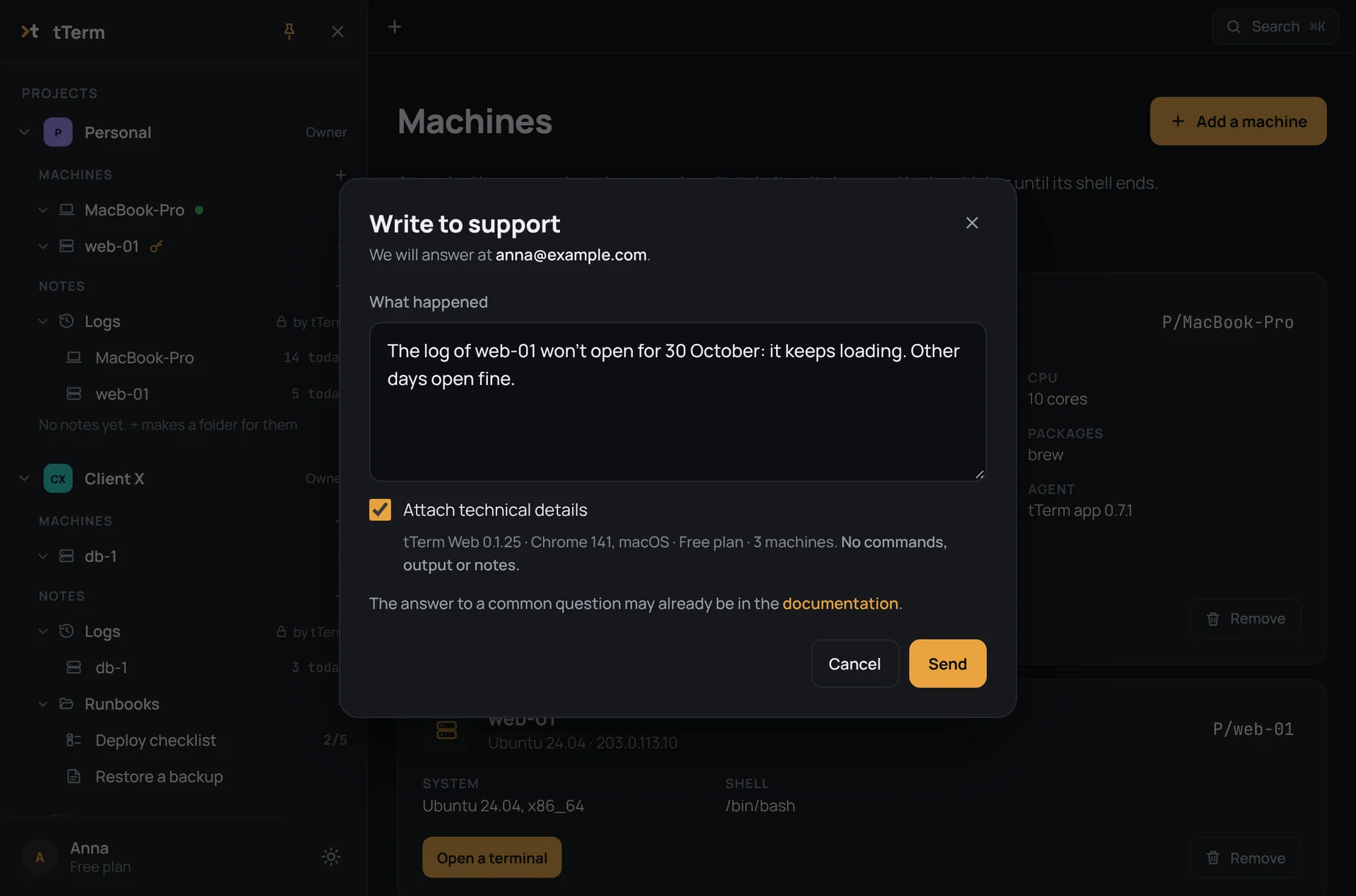
Describe in your own words what happened in the What happened box, and press Send or ⌘Enter (Ctrl+Enter on Windows and Linux). The window tells you up front where we will answer: the email of your account. A copy of your message arrives there at once, so that you have it too.
What goes with the message
So that we don't have to ask again, one line of technical details goes with your message. It has the version of tTerm Web, your browser and its system, your plan and how many machines you have, for example “tTerm Web 0.1.25 · Chrome 141, macOS · Free plan · 3 machines”. Under Attach technical details the line is shown exactly as it will go. Your commands, their output and your notes never go. If you don't want to attach even that, untick it, and only your message goes.
After you send it
Once the message has gone, the window says Message sent and reminds you where the answer will come. And if it could not be sent, the window says so and gives an address you can write to yourself.
About us
Next to it there is now About us too. It has the tterm.net website, our Telegram channel, where we post the news, and What's new in the docs, where each version lists what changed in tTerm Web.
In tTerm for Mac, the new menu and Write to support come with the next update. The details are in the docs, on the page Get help.